Here is how you can order for machine embroidery designs at www.needlework.ru
Find a design that you like by browsing the categories, or using the search box. When you find a design, note the size, stitch count, and price. Check the size and stitch count that your machine can accommodate to ensure that your machine can stitch the design.
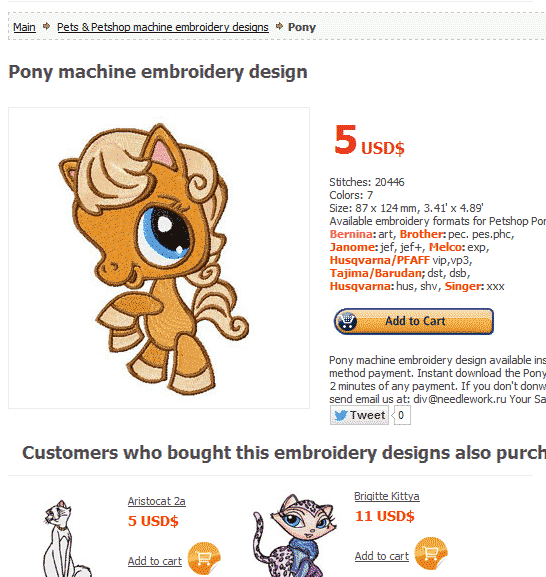
You don't need choose file formats. All embroidery formats available for download (Bernina: art, Brother: pec. pes.phc, Janome: jef, jef+, Melco: exp, Husqvarna/PFAFF vip,vp3, Tajima/Barudan; dst, dsb, Husqvarna: hus, shv, Singer: xxx ).
Click the Add to Cart button. 
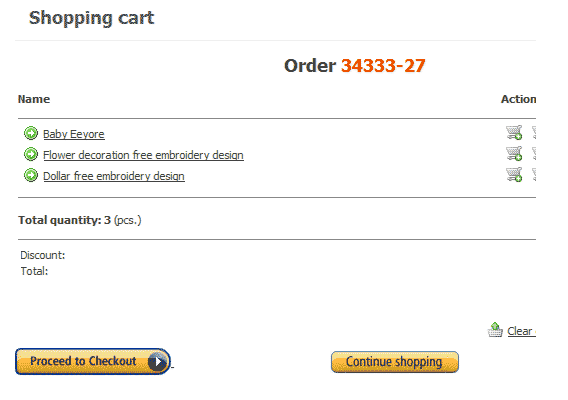
Now the design is in your basket. Keep repeating those steps until you have all the designs that you want. When you have finished adding the machine embroidry designs that you'd like to buy to your shopping basket, and are ready to check out of the site, review the items in your basket.
Please look on right top. You see "Proceed to Checkout" link. Please Click.

Check you order.
If you finish checking information. After that please Click button "PROCEED TO SECURE CHECKOUT".
You see Choose payment method page. Available three payment methods: Paypal,
Next page of payment. Note that only on this page you enter your credit card. This page is a secure connection technology SSL. Here also the logos payment systems and trust certificates.  By clicking on them you can check the authenticity of this payment system.
If your order was approved, you'll be automatically brought to Sucessful Page. Please wait 1-2 minute, payment system automatically load a page with your order. Where you can upload your designs.
If this does not happen.
After that please look top menu and see "Your account" Please click "My orders" and browse you order history. 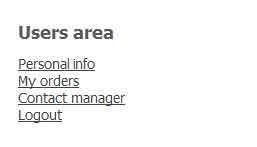 Orders available for download (haveing payment) have green color.
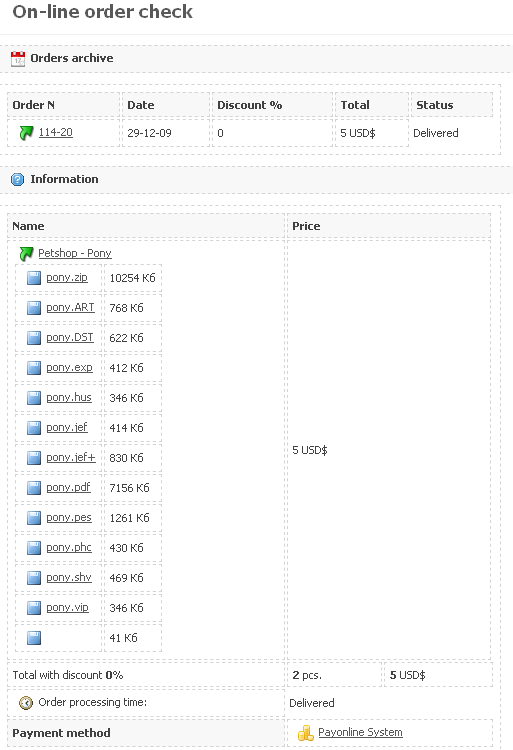
The order history page looks like this:
From this page you can download the file of any format. No restrictions. Information about your order is saved forever. At any time you can re-upload your files. We recommend that you register - then your orders will always be displayed in your personal account.


 Instant Download
 How To Order from Cartoon machine embroidery


